Typing in Typst
Introduction
Over the years I have grown annoyed at times at the tools on offer to create PDFs of a text document. Late last year, perusing Hacker News, I came across a comment mentioning Typst as well as D2
D2 caught my eye for the praise of its engine and file format. I checked it out and it impressed me, however, I don't have much use for it right now. I might write about it in some future article. On to Typst: it caught my attention being open source and having a pretty decent VSCode plugin offering live view. I started experimenting with it and became a fan, quick.
Why switch?
A long time ago, I used Evernote for my notes. I can't recall why I switched but it was probably justified at the time. What filled its place was Markdown through apps such as cherrytree and Joplin . Both worked fine, but lacking any sort of cloud sync for cross-device usage. In came Notion to fill that void.
I liked Notion a lot for a while. Straightforward to use, and accessible from wherever I wanted. Sadly, as my notes kept growing and growing, Notion started getting slower and slower. Yet again, I started looking for something else.
SIDENOTE: In retrospect I'm glad I got off Notion. Especially now that they too have gone full into AI it seems :/
That's when Obsidian came into the picture. It had no direct cloud sync, but that was fixable through Syncthing as the files are all plain Markdown on disk. The linking between notes and tagging system is something I have grown fond of, especially as you start creating more and more related notes.
Current setup & wishes
Obsidian works great for 99% of the things I need it for. However, sometimes you want that 1% that's missing. Say, writing a more formal letter to email someone or want to print. Obsidian can create a decent PDF, but it's limited by Markdown itself.
In the past I would use Microsoft Word or Apple's Pages and Keynote for this. Seeing as Microsoft is hellbent on forcing Copilot into everything, I don't want to pay them for Office anymore. Pages is fine, but sadly Apple is now perhaps also going down the subscription enshitification route with their recent Creator Studio announcement.
I mean, who doesn't love seeing an advertisement for the subscription features in their presentation software:
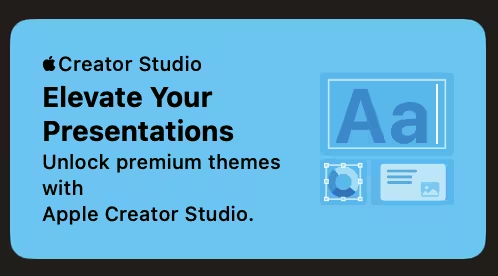
And do we need AI to create *presenter notes* of all things?

For now, I'll continue using the old Keynote. Typst can create slide decks too, perhaps that's a topic for another post.
Enter Typst
Syntax wise, Typst feels similar to LaTeX . I have only used LaTeX for a brief period and found it too cumbersome to use over what I was using at the time. The compiler errors weren't too helpful and styling the document felt too involved--ironic as we will see later.
As for documentation, Typst performs well. The documentation is well written with graphic examples of what options impact. With it, creating a basic document is possible with relative ease. However, similar to LaTeX, once you want to visually alter the page, the learning curve increases drastically.
Line wrapping
Line wrapping in general works as you'd expect. It's
when you get into more niche situations where it becomes
less straightforward. I was trying to fit a SHA256 hash
on a page which extended beyond the page size. I started
looking into how I could force line wrapping and
stumbled upon the 'hyphenate' parameter for the
#text() function in the
Typst
documentation
.
According to the documentation, you would use it like so:
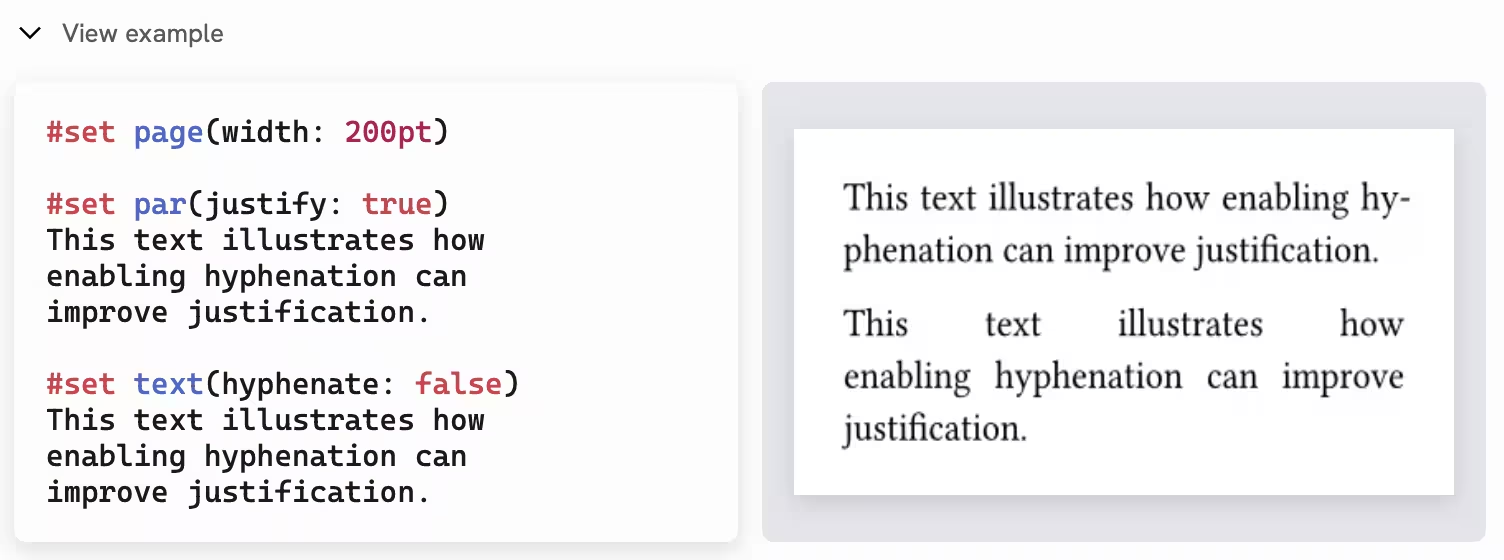
However, when I tried this with my SHA256 hash it didn't work as I expected it would:
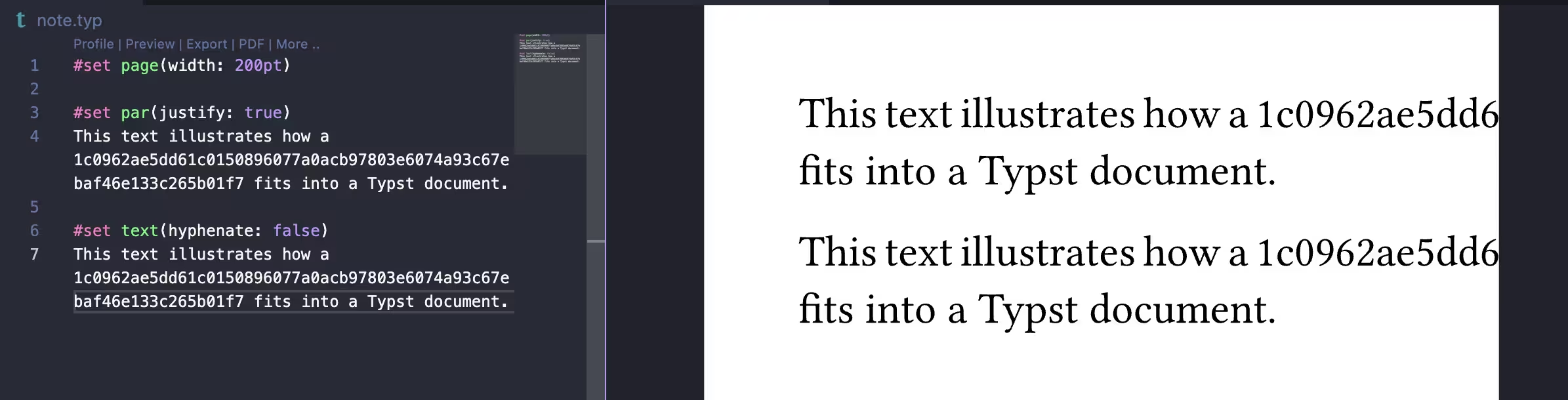
Some digging on the Typst forum later, I stumbled upon
the following
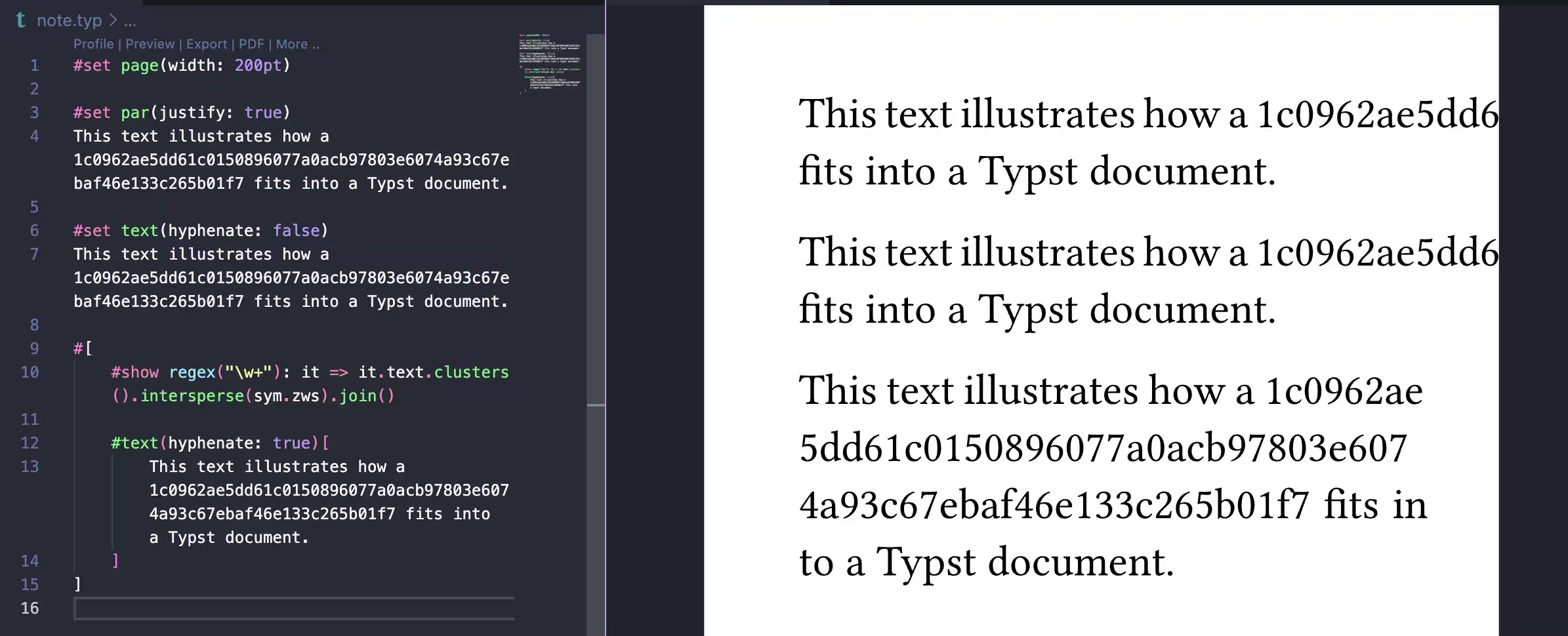
#show rule to fix this
line wrapping problem:
#show regex("\w+"): it => it.text.clusters().intersperse(sym.zws).join()
This #show rule places
a non-breaking space between each character, allowing a
sentence to break on any character.
Tip
#[]. This can be
done like so:
                            #[
                                #show regex("\w+"): it => it.text.clusters().intersperse(sym.zws).join()
                                #text[Hello, world!]
                            ]
Applying the preceding `#show` rule does fix the wrapping, but still leaves room for improvement. There is no hyphenation, which is suboptimal. However, it's an improvement over exceeding the document.
Plugins and templates
Another welcoming addition is the straightforward way
through which to use plugins and templates through
Typst's 'Universe'. Imports function similar to Python
through the
#import keyword. Below
is an example for the glossary plugin
glossarium
:
                        #import "@preview/glossarium:0.5.10": make-glossary, register-glossary, print-glossary, gls, glspl
                        #show: make-glossary
                        #let entry-list = (
                            (
                            key: "kuleuven",
                            short: "KU Leuven",
                            long: "Katholieke Universiteit Leuven",
                            description: "A university in Belgium.",
                            ),
                            // Add more terms
                        )
                        #register-glossary(entry-list)
                        // Your document body
                        #print-glossary(
                            entry-list
                        )
The #gls() function
allows for referencing items within the glossary, for
example:
#gls("kuleuven")
Typst pricing
As mentioned previously, the Typst compiler is free and open source. An open source language server is available on GitHub through Tinymist , allowing for integration with VSCode etc. if you prefer to keep your files offline, instead of in the cloud of Typst.
Below I've added a screenshot of the current pricing model of Typst as of 2026-02-06:
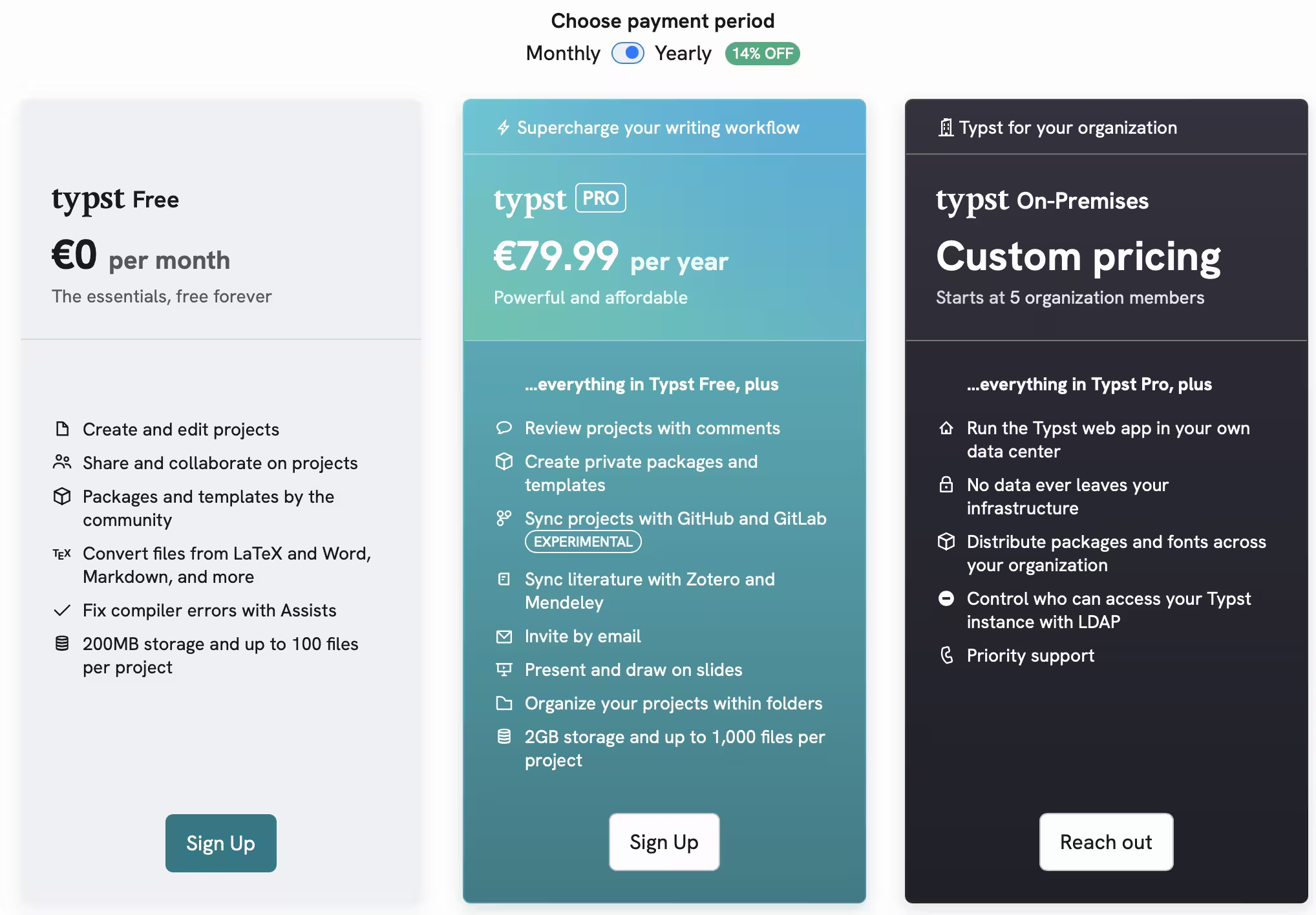
If someone has used the On-Premise version, let me know what you think of it, I'd love to hear how it works in practice! :)
Closing remarks
Whilst Markdown certainly has its upsides for generic note taking, Typst has grown on me for instances where Markdown is insufficient. I have yet to try to slides feature, but if it's similar to creating regular documents it might be a worthy replacement for Keynote.
I might publish some stuff on D2 if I can find a valid use case for it or when I finally try creating some slides with Typst. Another article I want to do is about vale . I need to explore it a bit more before I feel comfortable writing about it for more than a cursory glance and a "this is cool, check it out!" so expect that *sometime* in the future.
Until then, thx for reading <3